
The Hidden SEO Issue Costing You Traffic, Rankings & Revenue
Imagine building a beautiful showroom with perfect product displays, lighting, and branding…
but forgetting to build the door to that room.
It exists.
It’s beautiful.
But no customer will ever find it.
On the internet, that hidden “room” is an orphan page –
a fully functional webpage with no internal links, no pathway, and no visibility.
At Creative Garage, almost every SEO audit reveals dozens of these forgotten pages hiding in the dark.
The good news?
Fixing orphan pages is one of the simplest and fastest ways to improve your SEO performance.
Let’s break it down.
What Are Orphan Pages?
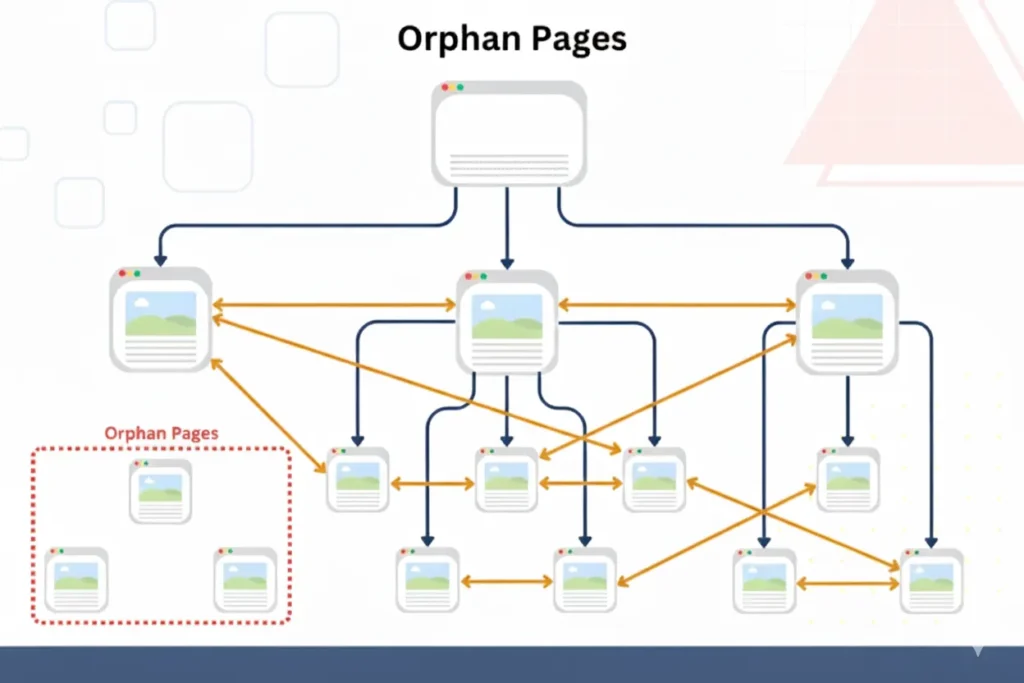
Orphan pages are live URLs on your website that no other page links to internally.
They exist…
Search engines may find them…
but they’re not connected to the rest of your site.
Meaning:
- Google can’t easily discover them
- Users will never navigate to them naturally
- They pass zero internal link authority
- Their content won’t help your rankings
- They create dead ends in the customer journey
At Creative Garage, we call them:
“Lost pages with untold stories.”
Why Orphan Pages Hurt Your Website (With Data)
Google relies heavily on internal linking to find, evaluate, and rank content.
Pages with no internal links are viewed as low value.
Impact of Orphan Pages — At a Glance
| Issue Caused by Orphan Pages | How It Hurts You | SEO Impact |
|---|---|---|
| Harder for Google to crawl | Low discovery & indexing | ⭐⭐⭐⭐⭐ |
| No internal link authority | Weak ranking power | ⭐⭐⭐⭐ |
| Poor user experience | Users can’t find key pages | ⭐⭐⭐ |
| Wasted content investment | Valuable pages get no visibility | ⭐⭐⭐⭐ |
| Broken conversion flow | Leads drop because journeys break | ⭐⭐⭐ |
Why Do Orphan Pages Happen? (Real Reasons)
Most businesses don’t intentionally create orphan pages — they appear as the website evolves.
Common causes:
- Old landing pages from past campaigns
- Pages created by one team but never linked by another
- Blogs published without internal linking (super common!)
- Website redesigns that ignore older URLs
- Product/category pages not added to navigation
- Auto-generated CMS pages (tags, archives, filters)
- Test/demo pages accidentally left live
If your website is more than a year old…
you definitely have orphan pages.
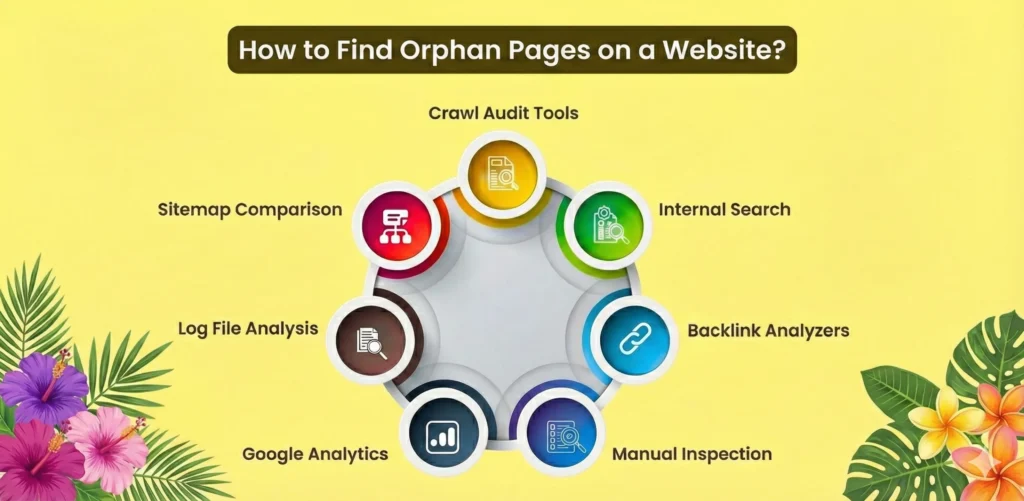
How to Find Orphan Pages (The Creative Garage Method)
Here’s the exact step-by-step process our SEO team uses in audits.
Step 1: Export a Master List of All URLs
Create a complete list of every URL on your website.
Collect URLs from:
- XML sitemap
- CMS (WordPress, Shopify, Webflow, etc.)
- Website databases
- Google Analytics (GA4)
- GSC performance URLs
- Past campaign landing pages
- Manually shared URLs (WhatsApp, emails, ads)
Call this your:
MASTER URL LIST
Step 2: Crawl Your Website Internally
Run a full website crawl to see what pages can be found through internal links.
Tools we recommend:
- Screaming Frog (best)
- Sitebulb
- Ahrefs Site Audit
- Semrush Site Audit
This gives you your:
CRAWLED LIST
(pages discovered through internal links)
Step 3: Compare Both Lists (This Reveals the Orphans)
Now simply compare:
MASTER LIST — CRAWLED LIST = ORPHAN PAGES
These are the pages that exist but were not found by the crawler via internal links.
In Excel/Google Sheets:
- XLOOKUP / VLOOKUP
- Conditional formatting
- LEFT JOIN
Step 4: Verify With Analytics
Not all orphan pages are equal.
Check each one in:
- Google Analytics (GA4)
- Google Search Console
You will now classify them into 3 buckets:
1. Orphan pages WITH traffic
These matter — they’re valuable but disconnected.
→ Add internal links immediately
2. Orphan pages with zero traffic but high potential
Blogs, service pages, product pages.
→ Update + internally link them
3. Orphan pages that shouldn’t exist
Old campaigns, expired offers, test pages.
→ Delete or redirect them
Step 5: Fixing Orphan Pages (High-Impact SEO Actions)
Here’s how we fix them at Creative Garage:
A. Add Internal Links
Link orphan pages from:
- High-traffic blogs
- Relevant service pages
- Category pages
- Navigation menus
- Footer
- Related articles
This gives them visibility and authority.
B. Update Content
If the page is weak, improve:
- Title & meta
- H1/H2
- Keywords
- Examples
- CTAs
- Visuals
C. Redirect Irrelevant Pages
Old or useless pages → 301 redirect to the closest relevant URL.
D. Noindex or Delete Junk URLs
Test pages, dev URLs, accidental uploads.
The Power of Fixing Orphan Pages (Real SEO Results)
Based on Creative Garage audits:
| Fix Implemented | Typical Improvement | Time to Impact |
|---|---|---|
| Adding internal links | +20% to +60% more traffic | 30–60 days |
| Updating orphan blogs | 2×–4× impressions | 4–8 weeks |
| Redirecting outdated pages | Cleaner crawl budget | Immediate |
| Linking high-value content | Better keyword rankings | 45–90 days |
How Creative Garage Helps You Fix Orphan Pages
Here’s our process during an audit:
- We identify every hidden page
- We map your entire internal link structure
- We decide which pages deserve revival
- We rebuild your website journey for UX + SEO
- We connect your content into one unified growth system
Your website becomes:
- Cleaner
- Faster
- More search-friendly
- More user-friendly
- Far more profitable
This is how we combine creativity + technical SEO + growth strategy.
Final Takeaway: Orphan Pages Are Not Mistakes — They’re Opportunities
Most websites treat orphan pages as errors.
We treat them as untapped growth.
Orphan pages help you:
- Improve SEO
- Strengthen internal linking
- Reactivate forgotten content
- Boost rankings
- Improve navigation
- Increase conversions
Orphan pages = a hidden library inside your website waiting to be connected.
If you want Creative Garage to audit your site and uncover hidden growth…
We’re right here – where creativity, structure, and strategy meet.
